We make solutions work and users happy
Your user is our command
Our philosophy
We are a team of UX experts with only one desire:
Create a great user experience for your solution (website, app, software …).
And for you.
Focus on your users
We put your users at the center of every step of the design process. We try to get as much feedback as possible to make sure you create useful solutions.
Co-create with your team
Every step of the way, we work together with your product team in a lean and agile manner in order to deliver a validated solution fast.
Work fast and efficiently
We use our time in the most optimal way, focusing on the goals. We love problem-solving and are not a fan of busy work.
When dreams come true
Do you dream of matching your users’ desires to your business goals?
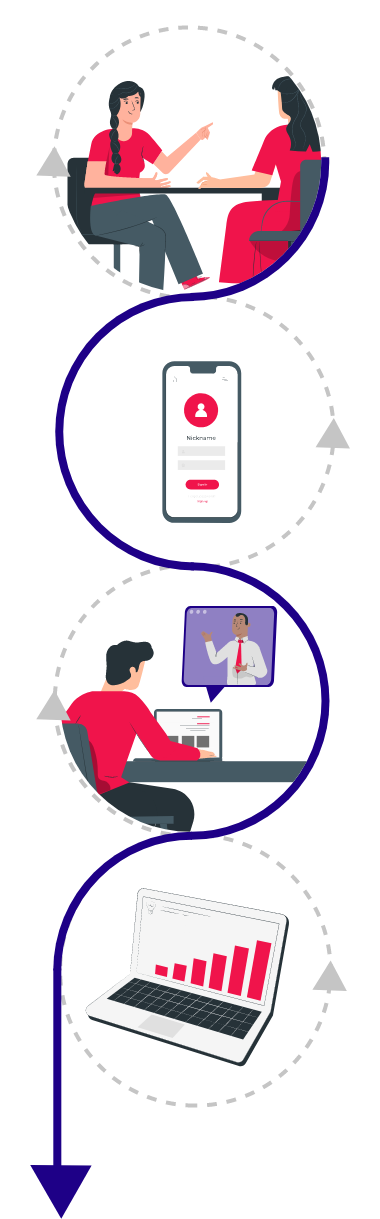
We listen to all stakeholders (in 1-on-1 interviews) to understand the problem and challenge the solution. Our user requirements are based on your users’ needs matched with your business goals.
Do you dream of testing with interactive prototypes?
You’ll get a prototype that looks and feels like a beta version of the actual solution. We use prototyping tools like Axure RP to get us the focus on the users’ interactions. For creating the visual assets, we use design tools such as Sketch, Adobe XD and Figma.
Do you dream of validating solutions with real users?
We validate your solution with your potential users and include people with an impairment. Validation can be done in-person or remote with our own platform.
Do you dream of accelerating your growth?
Once your solution is live, we help you track your users’ behavior and needs. allowing you to only build features your users need and love to use. And thus, booming conversion and enhancing loyalty.
How we can help you
User research
We conduct user interviews, competitors’ analyses and look at your analytics.
Interactive prototyping
Together with your product team we build a prototype that looks and feels like your final solution and validate it with your potential users.
Usability testing
We invite users to use the prototype or your existing solution, guided by scenarios.
UX audits
We take a close look at your website or app, using no less than 247 UX guidelines to identify pain points.
Design sprints
In these 5 to 10 day-workshops we capture real user insights to improve the interactive prototype. As we iterate and polish the idea, we bring it very close to your production-ready solution.
UX consultancy
Hire a UX consultant or team to strengthen your UX team or company.
Discover more things we can do for you
Our succes stories
“At VIPUN medical we build devices that help medical teams around the world take better and faster decisions on nutrition therapy. UXpro helped us make our solution much more user friendly and reliable throughout the whole patient journey. With COVID-19 regulations, UXpro did all of this remotely. Really impressive!”
Carl van Lierde,
Vice President Product Development, VIPUN Medical

Customers we recently helped